


Park Site
As you make your Joomla! site using the extension you will control the details of the display using parameters. Parameters control everything from whether the author's name is displayed to who can view what to the number of items shown on a list.
Default parameters for each component are changed using the Options button on the component toolbar.
Parameters can also be set on an individual item, such as an article or contact and in menu links.
If you are happy with how your site looks, it is fine to leave all of the parameters set to the defaults that were created when your site was installed. As you become more experienced with Joomla! you will use parameters more.
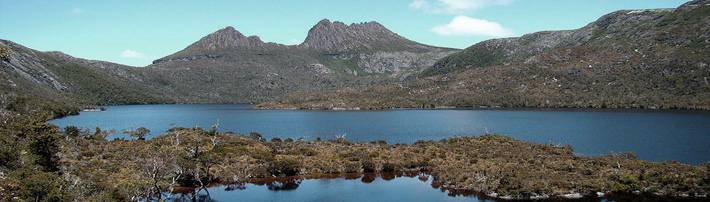
Welcome!
This is a basic site about the beautiful and fascinating parks of Australia.
On this site you can read all about my travels to different parks, see photos, and find links to park websites.
This sample site is an example of using the core of Joomla! to create a basic website, whether a "brochure site," a personal blog, or as a way to present information on a topic you are interested in.
Read more about the site in the About Parks module.
Your installation includes sample data, designed to show you some of the options you have for building your website. In addition to information about Joomla! there are two sample "sites within a site" designed to help you get started with builidng your own site.
The first site is a simple site about Australian Parks. It shows how you can quickly and easily build a personal site with just the building blocks that are part of Joomla!. It includes a personal blog, weblinks, and a very simple image gallery.
The second site is slightly more complex and represents what you might do if you are building a site for a small business, in this case a Fruit Shop.
In building either style site, or something completely different, you will probably want to add extensions and either create or purchase your own template. Many Joomla! users start off by modifying the templates that come with the core distribution so that they include special images and other design elements that relate to their site's focus.
 There are lots of places you can get help with Joomla!. In many places in your site administrator you will see the help icon. Click on this for more information about the options and functions of items on your screen. Other places to get help are:
Subcategorias
Photo Gallery
These are my photos from parks I have visited (I didn't take them, they are all from Wikimedia Commons).
This shows you how to make a simple image gallery using articles in com_content.
In each article put a thumbnail image before a "readmore" and the full size image after it. Set the article to Show Intro Text: Hide.
Park Blog
Here is where I will blog all about the parks of Australia.
You can make a blog on your website by creating a category to write you blog posts in (this one is called Park Blog). Each blog post will be an article in that category. If you make a category blog menu link with 1 column it will look like this page, if you display the category description (this part) displayed.
To enhance your blog you may want to add extensions for comments, interacting with social network sites, tagging, and keeping in contact with your readers. You will also enable the syndication that is included in Joomla! (in the Integration Options set Show Feed Link to Show an make sure to display the syndication module on the page).